Chat

Showing posts with label Easter. Show all posts

Wednesday, March 26, 2025

Easter Spring - FTU

Scrap kit - DC - Spring Time - HERE

Mask - Your choice

Tube - Garvey

***Disclaimer***

This tutorial is of my own creation. I am using PSP2019. Please leave a thanks when downloading.  If I am using a template, I always start at the bottom and work my way up. If using a FTU or PTU tube - please don't use without proper copyright. Always drop shadow as you go. If you try one of my tuts, I would love to display it on my blog....thanks

~~~~~~~~~~~~~~~~~~~~~~~~

P3 - apply mask/merge group

E8

Frame5 - resize 90%

Back frame - p8

E49 - duplicate/mirror

E39 (I erased some of the stem)

E40

Front frame - p7

E62

E79 - resize 60%

E36 - resize 40%

E57 - resize 40%

Position main tube

E18 - resize 60%

E30 - resizze 50%

E61 - resize 50%

E47 - resize 60%

E70 - resize 70%

Merge visible/crop/resize as needed/add proper copyright 

Monday, March 17, 2025

Happy Easter - FTU

Scrap kit - Springtime Promise - HERE

Template - EFR Blog - HERE

Mask - Your choice

Tube - Alicia Mujica - HERE

***Disclaimer***

This tutorial is of my own creation. I am using PSP2019. Please leave a thanks when downloading.  If I am using a template, I always start at the bottom and work my way up. If using a FTU or PTU tube - please don't use without proper copyright. Always drop shadow as you go. If you try one of my tuts, I would love to display it on my blog....thanks

~~~~~~~~~~~~~~~~~~~~~~~~

Open template and delete copyright layer

P5 - apply mask/merge group/send to bottom

Click on Right dots

E44 - resize 120%

Frames - flood fill color of choice

Glass effect of choice

Left frame insert - p3

Right frame insert - p7

Center frame insert - p8

I added my close up using hard light and 40 opacity

E11 - position

Duplicate/mirror/position

E7 - position bottom

E58 - resize 15%

E51 - erase stem and resize 60%

E86 - resize 50%

E85 - resize 50%

E89 - resize 50%

E69

E46 - resize 60%

E47 - resize 25%

Position tube

E9 - resize 60%

Merge visible/crop/resize as needed/add proper copyright 

Thursday, March 23, 2023

Easter Eggs - PTU

 ScrapkitTender Easter by CC - HERE

Mask - my mask - HERE

Template - by Tonya - HERE

Tube - Charly - HERE (she is FTU)

***Disclaimer***

This tutorial is of my own creation. I am using PSP2019. Please leave a thanks when downloading.  If I am using a template, I always start at the bottom and work my way up. If using a FTU or PTU tube - please don't use without proper copyright. Always drop shadow as you go. If you try one of my tuts, I would love to display it on my blog....thanks

~~~~~~~~~~~~~~~~~~~~~~~~

Open template and delete top 4 layers

Image/canvas size/800x800

Background1 - apply mask/merge group/send to bottom

Rectangle - background8

Light pink things - background20

Pink rectangle - background15

Oval - background19

E102 - resize 20%

Mura meister/copies/encircle/12,65,65

Rectangle border - flood fill color of choice

Add noise of choice

Rectangle - background13

Faded oval - background8

E46 - resize 30%

Mura meister/copies/6,70,70

E99 - resize 20%

Mura meister/copies/encircle/12,55,55

E29 - resize 20%

Mura meister/copies/encircle/12,40,40

E24

E105 - resize 40%

E44 - resize 35%

E36 - resize 30%

E103 - resize 40%

Position tube

E19 - resize 25%

Merge visible/crop/resize as needed/add proper copyright

Monday, March 20, 2023

Easter Basket - PTU

 Scrapkit - Tender Easter by CC - HERE

Mask - your choice

Template - #2 - HERE

Tube - PUT - HERE

***Disclaimer***

This tutorial is of my own creation. I am using PSP2019. Please leave a thanks when downloading.  If I am using a template, I always start at the bottom and work my way up. If using a FTU or PTU tube - please don't use without proper copyright. Always drop shadow as you go. If you try one of my tuts, I would love to display it on my blog....thanks

~~~~~~~~~~~~~~~~~~~~~~~~

Open template and delete copyright layer and flower1&2

Image/canvas size/800x800

P19 - apply mask/merge group

Send to bottom

Oval - mask2 - resize 75%

Stitched oval - flood fill

Add an inner bevel

E9 - resize 50%

E7 - resize 50%

Merge squares together - background 15

Merge frames together - flood fill/add an inner bevel

Position tube

E70 - resize 75%

E63 - resize 50%

E33 - resize 30%

E37 - resize 30%

Merge visible/crop/resize as needed/add proper copyright

Friday, April 15, 2022

Bunny Word Art

Thought this was a cute saying....hope you can use it and as usual...would love to see what you create!!!


Wednesday, April 6, 2022

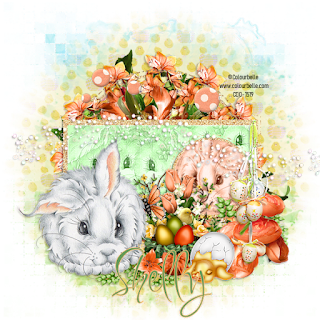
Easter Bunny - FTU


Scrapkit - Springtime Promise - HERE

Template - Tamie HERE  (#2 - CMBT-EAS zip)

MaskHERE  #273

Tube - Colourbelle - CDO HERE

***Disclaimer***

This tutorial is of my own creation. I am using PSP2019. Please leave a thanks when downloading.  If I am using a template, I always start at the bottom and work my way up. If using a FTU or PTU tube - please don't use without proper copyright. Always drop shadow as you go. If you try one of my tuts, I would love to display it on my blog....thanks

~~~~~~~~~~~~~~~~~~~~~~~~

Open template, delete copyright layer, big circle, and the top small circles

E44

Mura meister/copies/wallpaper

Apply mask/merge group

Rounded squares merge together - p2

Small circle - p4

Small circle2 - p4

Rounded rectangle - p6

E61

Hexagons merge together - p7

E32 - duplicate/image/flip

Position these as you like

Rounded rectangle 2&3 - p5

Rounded square - p3

Close up

E86 - erase stem Duplicate/image/mirror

E69 - mirror

E85 - resize 60%/mirror

E83 - resize 70%

E93 - resize 60%

E51 - resize 60%

E41

E27

E29

E47 - resize 60%

 Do the word art to your liking

I added an egg I made in MBM forum...it is supplied at the end of tut

Merge visible/crop/resize as needed/add proper copyright

Thia


Friday, April 1, 2022

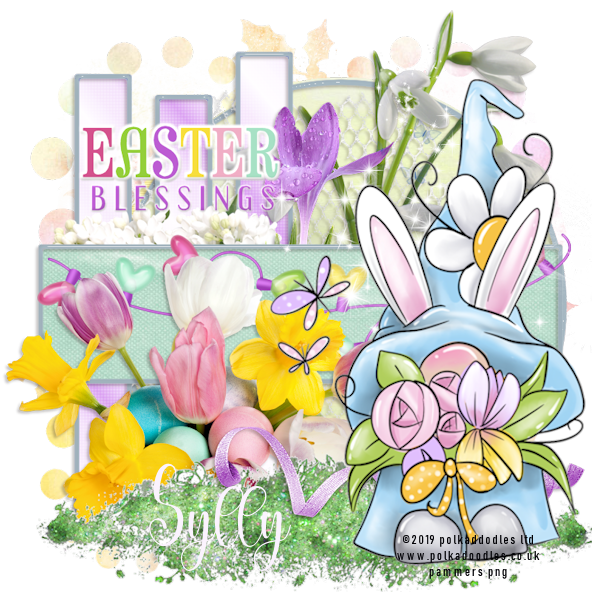
Easter Gnome - FTU (quick)


Scrapkit - Easter Time by Sylly - HERE

Template - Creative Misfits - HERE ((DFD template)

Mask - Your choice

Tube - Polkadoodles - HERE

***Disclaimer***

This tutorial is of my own creation. I am using PSP2019. Please leave a thanks when downloading.  If I am using a template, I always start at the bottom and work my way up. If using a FTU or PTU tube - please don't use without proper copyright. Always drop shadow as you go. If you try one of my tuts, I would love to display it on my blog....thanks

~~~~~~~~~~~~~~~~~~~~~~~~

Open template and delete copyright layer, WA, and mask layer

Click bottom layer

Circle - p2

Circle frame - flood fill

Netflower

Flower4

Flower3

Flower5

I added a glass effect to mine

Vertical blinds - colorize your choice

Vertical frame - same as circle frame

Green rec - p9

Red grad frame - flood fill as last frames

Heartlights - resize 80%

Place a word art of choice

E3

Grass4 - resize 75%

Ribbon1

Sparkles1

Position tube

Merge visible/crop/resize as needed/add proper copyright

NancyR

Barb
KITT
Emma
ChezMartine


Friday, March 25, 2022

Bunny Spring - EXC to EFR


Scrapkit - AWS - April Chicks - HERE

Template HERE (first template)

Mask - #1164 - HERE

Tube - Queen Uriel - HERE

***Disclaimer***

This tutorial is of my own creation. I am using PSP2019. Please leave a thanks when downloading.  If I am using a template, I always start at the bottom and work my way up. If using a FTU or PTU tube - please don't use without proper copyright. Always drop shadow as you go. If you try one of my tuts, I would love to display it on my blog....thanks

~~~~~~~~~~~~~~~~~~~~~~~~

Open template and delete copyright layer

Image/canvas size 800x800

P3 - apply mask/merge group

E40 - position and erase trunk

Duplicate and move up some

1 - p9

2 - p12

3 - p1

4- p8

E85 - resize 75%

E83

5 - add noise

6 - p13

Word art - decorate your choice

E74

E75

E43 - erase stem

E52 - resize 40%

E53 - resize 35%

E58 - resize 35%

E57 - resize 35%

E59 - resize 35%

E78 - resize 90%

E86 - resize 75%

E98 - resize 60%

E24 - resize 40%

Move word art to top

Position your tube

Merge visible/crop/resize as needed/add proper copyright
Wednesday, March 16, 2022

Easter Bunny - PTU


Scrapkit - An Easter Shell-ebration - HERE

Template - BP#57 - HERE

Mask - your choice

Tube - Colourbelle - HERE

***Disclaimer***

This tutorial is of my own creation. I am using PSP2019. Please leave a thanks when downloading.  If I am using a template, I always start at the bottom and work my way up. If using a FTU or PTU tube - please don't use without proper copyright. Always drop shadow as you go. If you try one of my tuts, I would love to display it on my blog....thanks

~~~~~~~~~~~~~~~~~~~~~~~~

Open template and delete copyright layer

Image/canvas size 800x800

Click bottom

P20 - apply mask/merge group

E122

Dot set2 - p16

Large dark circle - flood fill

Add noise

Large light circle - p19

E112

E76 - resize 25%

E75

Large dash circle - flood fill

Add noise

Mura meister copies/encircle

Dot set1 - p15

Rectangle dash - floodfill

Add noise

Dark rectangle - flood fill

Add noise

Light rectangle - p12

Position tube and duplicate a few times

Layer properties/luminance L

Add a weave of choice

Small dark circle - flood fill

Add noise

Small light circle - p13

Add close up

Layer properties/luminance L

Small dash - flood fill

Add noise

E35

E87 - resize 40%

E9 - resize 60%

E3 - resize 45%

E11 - resize 25%

E118

Position tube

Merge visible/crop/resize as needed/add proper copyright

Lavada

Wally
Shelly


Saturday, March 5, 2022

Easter - Exclusive to EFR


Scrapkit - Butterfly Bouquet by TTD - HERE

MaskHERE

Font - Little Bunny - HERE (used for wording)

Tube - Yuki - HERE

***Disclaimer***

This tutorial is of my own creation. I am using PSP2019. Please leave a thanks when downloading.  If I am using a template, I always start at the bottom and work my way up. If using a FTU or PTU tube - please don't use without proper copyright. Always drop shadow as you go. If you try one of my tuts, I would love to display it on my blog....thanks

~~~~~~~~~~~~~~~~~~~~~~~~

Open image/600x250 and 200x200

Paste tube onto canvas

Mura meister/copies/wallpaper rotate

Adjust/blur/motion/angle 75/strength 100

Repeat 2 x

Effects/edge/enhance more

Duplicate

On duplicate layer - apply mask/merge group

Effects/3d/inner bevel

DS

Bottom layer/effects/texture/antique

Merge visible

Copy

Place in your avatar

Back to main image

Paste close up/layers/multiply

E94

Resize 50% and place on avatar

E64

Grab your selection tool/rounded rectangle and draw across image

Promote selection to layer

Adjust/blur/gaussian/10

Gradient glow of choice

Copy to avatar

Main image

Grab little bunny font (or use mine at end of tut)/40/white

Type your saying/effects/3d/inner bevel

Resize main tube and position 

Paste onto avatar

Main image

Merge visible

New raster layer

Flood fill with color of choice

Selections/modify/contract by 6/delete/select none

Adjust/add noise

New raster layer

Flood fill with dark color of choice

Selections/modify/contract by 4/delete/select none

Effects/3d/inner bevel

Do the same to avatar

Add proper copyright


Lavada


Sunday, March 7, 2021

Easter - PTU


Scrapkit - An Easter Shell by DBS - HERE

Template - Millie's - HERE

Tube - Alexandra Vanhek - PFD - HERE

~~~~~~~~~~~~~~~~~~~~~~~~~

Open template and delete copyright and word art

Remember to DS as you go

I always start at bottom and work my way up

Image/canvas size 800x800

1 - p12

2 - 14

3 - p20

5 - p18

6 - p13

7  & 9 - p2

8 - p1

E111 - resize 80%

13 - p19

I put a small border around 13

Select all/float/modify/expand by 4/new raster layer/flood fill white

E114

E80

E75

E23 - resize 35%

E35 - duplicate/image/mirror

E98 - resize 60%

Place tube

E95 - I took some of the eggs and flowers and placed them in the basket and used my freehand selection tool, draw around rim of basket/invert and erase


Merge visible - resize 45%

E88 - resize 30%

E76 - resize 20%

Merge visible/crop/resize/add proper copyright


Thursday, April 9, 2020

Pink Bunny - Exclusive to Escape from Reality


Scrapkit - Bunnyland by TTD only at EFR- HERE
Mask #112 from our BAK - HERE
Tube - our FTU Artist Matt Widmann - use the Pink Bunny 
Feel free to drop by and become a member...you will be glad you did


Open p23 and apply mask/merge group
Duplicate/merge down
E21 - place on left side
Duplicate/image/mirror
E10
E53
Place bunny in middle
E52 - resize 60% and position at bottom of feet
E63 - place bottom of E52
E62 - place bottom of  E63
E31 - resize 70% - position left side of E52
E14 - resize 40% - position right side of E52
E61 - resize 40% - position in front of E14
Crop/merge all visible/resize as needed/add proper copyright
I would love to show off your creation....just add my name and I will post to my blog ...thanks


This was a mystery tut I created at EFR
My friend Vi created this beauty

Wally did an awesome job too
Proton did awesome


Friday, April 3, 2020

Easter Bunny


Scrapkit - your choice
Tube- Alicia Mujica - HERE
Word ArtHERE


Open up new image 500x275 - transparent
Paste tube of choice
Effects - Mura meister - copies wall paper default
Adjust/blur/gaussian/ 10
Adjust/blur/motion/angle 200/strength 100
Apply again
Duplicate
Selection tool/rounded rectangle/feather of 30
draw a wide rectangle across the whole canvas/delete on kb/select none
On this layer apply
Effects - texture - antique mosaic 50/50
Place close up of tube and drag down one layer
Effects - Xero/porcelain/default
Effects - Xero/clarify/ default
Layer properties - screen/opacity at 40
I used sparkles, doodle and flowers from a scrap kit
Crop
New raster/flood fill with color from tube
Selections/modify/contract by 6/delete
Add a ds
Position tube
Image/canvas size600x600
Click bottom layer
Paste close up image
Mura meister/copies/wall paper rotate
Adjust/blur/gaussian at 10
Adjust/blur/motion/angle 200/strength 100
Apply again
Effect - EC4/marble/default except change the colors to colors from tube
Apply mask of choice
Position your word art
Add other elements of choice if you desire....tag below is with extra elements


Sunday, April 7, 2019

Too Hip to Hop - FTU


Scrapkit - Easter Time by Syl - HERE
Template - by Dee - HERE
Tube - Maryline Cazanave with CDO - HERE
~~~~~~~~~~~~~~~~~~~~~~~~~~~~~~~~~~~~~~~~
Open template and delete copyright and white background layers
DS as you go and I start at the bottom and work up
Image/canvas size/800x800
Pink circle - p4
Center green - p9
Center lime green ring - p8
Center plum circle - p5
R&L Cream layer - p7 (while still selected..position close up and delete)
I then used xero - lithograph with these settings
Layer properties - Luminance legacy/opacity to 50
Center green strip - p1
Lime green rectangle - flood fill with color of choice
Merge next 3 layers together - p3 (I added flowers 1&3)
WA cream - flood fill a dark color from tube - gradient glow
WA plum - flood fill a lighter color - gradient glow
Grass04 - resize 80%
Sparkles02 - place at top
Ribbon03 - place at bottom and a little to the left
Ribbon1 - position right
Ribbon2 - in center
Place tube
I decided to grab flower03 and flower04 and position behind the rectangle layer
Crop/resize as needed/add proper copyright


Wednesday, April 3, 2019

Easter - FTU


Scrapkit - Easter Time - HERE
Template - Bunny Love by TK HERE
Mask - by Rachel HERE using #852
Tube - PUT..this is April bonus tube - HERE must have license to use
Outside plugins Mura Meister and Penta .com
~~~~~~~~~~~~~~~~~~~~~~~~~~~~~~~~~~~~~~~~~~~~~~~
Remember to DS as you go
Open template and delete copyright and 11, 30 layers
Merge you bow layers together
Going to do this template a little different
Open p5
Paste closeup
Effects - Mura Meister/perspective tiling with the following settings
Apply mask/merge group and click white background and paste the mask
Layers 28, 38, 40-45 - flood fill with a color of your tube
Adjust/add/remove noise - add noise 100, uncheck monochrome and tick gaussian
Layer25 and 27 copy 
Layer15 - Penta/dot&cross at default
Layer13 - Penta/VTR2 at default
Layer26 - Effects/texture/mosaic-glass at default
Layer29 - flood fill with color from tube
Layer6 - p5
Crop/image/canvas size 800x800
Delete white layer
Click top layer
Paste ribbons 1&2
Flowerbunch2 - resize 35% 
Word art 2 - resize 50%
Flowers06 - resize 35%
Flowers3 - resize 40% - paste corner of layer6/duplicate/image/mirror/position corner of layer6
Heartlights - resize 50%
Flowers4
Bunny1 - resize 60%
place your merged bows where you like
Position tube
Crop your tag and paste the jelly beans from the template
Resize as needed and add proper copyright


Friday, March 22, 2019

Spring Easter - PTU


Scrap kit - Easter Bunny by LMB - HERE
Template - #15 - HERE
Tube - PUT from CDO - HERE must have license # to use these tubes

~~~~~~~~~~~~~~~~~~~~~~~~~~~~~~~~~~~~~~~~~~
I always start at bottom and work up
Remember to DS as you go
Open template and delete raster7
Canvas size 800x800
Click bottom layer and paste E7
E56
Merge bottom 2 circle layers together - p8
Merge raster 5 and copy together
Effects - EC4000 - glass - dark color of choice
Then add a thin gradient glow
Raster4 - p8
Do glass and gradient for raster 5
Open p14
Effects/Art media effects/brush stroke :
Merge square layers together and paste p14
Resize a tube so face fits in square/duplicate...on bottom tube/layer properties/luminance legacy
Top tube layer/layer properties/screen
Repeat for other 2 frames
E50 - resize 75%
E11
Merge frame layers together - p4
EC400 - glass at same as above
E100
Raster6 - p13
Apply same glass effect
E53 - image/free rotate by 90
E25 - resize 45%
E89
Main tube
Crop/merge all visible/resize as needed/add proper copyright