Chat

Showing posts with label Halloween. Show all posts

Monday, October 5, 2026

Cute Zombie - PTU

Scrap kit - Emma's "Spooky Nights" - HERE

Mask - EFR Blog - HERE (2nd one)

Template - Emma - HERE

Tube - Pinuptoons

***Disclaimer***

This tutorial is of my own creation. I am using PSP2019. Please leave a thanks when downloading.  If I am using a template, I always start at the bottom and work my way up. If using a FTU or PTU tube - please don't use without proper copyright. Always drop shadow as you go. If you try one of my tuts, I would love to display it on my blog....thanks

*Open mask in PSP - how to is HERE*

~~~~~~~~~~~~~~~~~~~~~~~~

Open template, delete copyright layer, and top 3 layers

Image/canvas size/900x900 

Raster6 - p4

Rasters 2 & copy - p16

Raster 3 & copy - p8

Raster4 - p1

Small gradient glow

Raster7 - p20

P10 - apply mask/merge group

E113 - resize 50%

E118

E80 - resize 65%

E114 - resize 45%

Position tube

E63 - resize 50% (erase stem)

Duplicate/mirror

E46 - resize 50%

E36 - resize 45%

E51 - resize 25%

E41 - resize 50%

E73 - resize 30%

E87 - resize 65%

E102 - resize 30%

E83 - resize 50%

WA5 - resize 60%

Merge visible/crop/resize as needed/add proper copyright

Sunday, August 30, 2026

Cast a Spell - FTU

Scrap kit - TK's "CC Halloween Freebie" - HERE

Mask - Your choice

Template - Supplied in download (#1)

Tube - Laguna - HERE

***Disclaimer***

This tutorial is of my own creation. I am using PSP2019. Please leave a thanks when downloading.  If I am using a template, I always start at the bottom and work my way up. If using a FTU or PTU tube - please don't use without proper copyright. Always drop shadow as you go. If you try one of my tuts, I would love to display it on my blog....thanks

~~~~~~~~~~~~~~~~~~~~~~~~

Open template and hide word art

Image/canvas size/800x800

P10 - apply mask/merge group

E45

E44

Striped circles - p2

Pink circles - p6

Orange rectangle - p4

Green labels - p2

Rounded rectangle - p3

White rectangle - p1

Eyeballs - add gradient glow

E14 & 15 - resize 50%

E42 - resize 60%

E1 - resize 60%

E4 - resize 70%

E36

E13

E2 - resize 70%

E39 - resize 60%

Position tube

Merge visible/crop/resize as needed/add proper copyright

Barb

Christine


Thursday, October 9, 2025

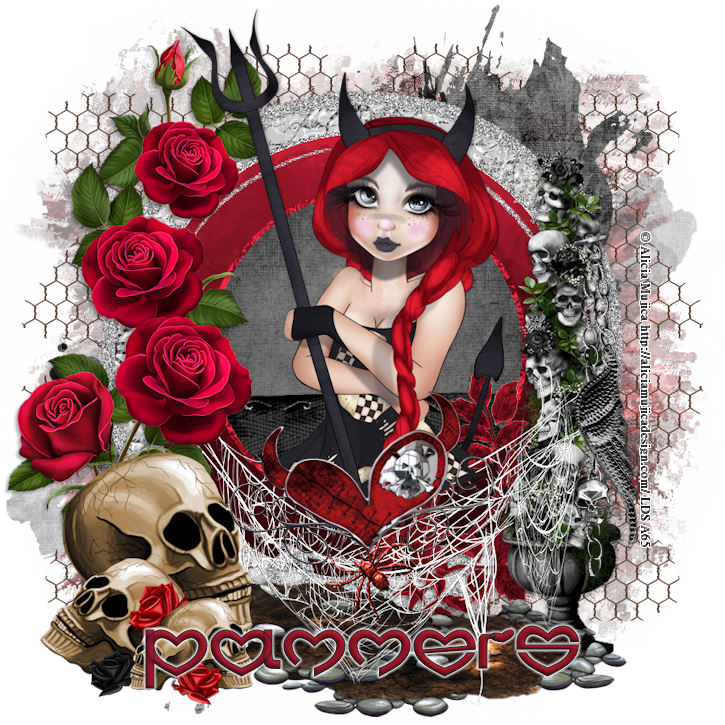
Good Girl/Bad Habits - FTU

 Scrap kit - Boo Crew by Magik - HERE 

Mask - HERE (2nd mask)

Template - #756 - HERE

Tube - Pinuptoons

***Disclaimer***

This tutorial is of my own creation. I am using PSP2019. Please leave a thanks when downloading.  If I am using a template, I always start at the bottom and work my way up. If using a FTU or PTU tube - please don't use without proper copyright. Always drop shadow as you go. If you try one of my tuts, I would love to display it on my blog....thanks

~~~~~~~~~~~~~~~~~~~~~~~~

Open template and delete copyright layer 

Image/canvas size/800x800

P4 - apply mask/merge group

1 - p8

2 & 4 - p1

Spider web2

Silhouette

3 - p5

Moon - resize 70%

Gate

Ribbon

Sparkles - resize 140%

Crystal ball - resize 40%

Skulls - resize 65%

Flower - resize 60%

Bottle - resize 50%

Cat on skull - resize 50%

Spider2 - resize 60%

Image/free rotate/left by 30

Cup - resize 40%

Bat - resize 50%

Position tube

I merged my word art

Merge visible/crop/resize as needed/add proper copyright

Thursday, October 2, 2025

Spider - FTU


Scrap kit - Spider Spider - HERE

Mask - EFR Blog - HERE (3rd one of mine)

Template - #308 by Donna - HERE

Tube - Bobby Allen - HERE

***Disclaimer***

This tutorial is of my own creation. I am using PSP2019. Please leave a thanks when downloading.  If I am using a template, I always start at the bottom and work my way up. If using a FTU or PTU tube - please don't use without proper copyright. Always drop shadow as you go. If you try one of my tuts, I would love to display it on my blog....thanks

~~~~~~~~~~~~~~~~~~~~~~~~

Open template and delete copyright layer and white background

Image/canvas size/800x800

P4 - apply mask/merge group

Tree

Leaf frame

Ivy

Sparkles2 - position

Duplicate/mirror

Cloud

Raster6 - grab your magic wand/add/rgb/60

Click on the white border and promote selection to layer and use paper of choice/select none

Do the same for the rest of the white borders

Raster6 - p1

Raster2 - p10

Copy raster2 - p7

Copy2 raster layer - p8

Web2 - resize 85%

Spider2 - resize 80%

Flourish

Sparkles

Leaf2

Flowers3

Spidersweb - resize 80%

Spider - resize 60%

Image/rotate right by 20

Position tube

Merge visible/crop/resize as needed/add proper copyright

Emma

Sandy


Tuesday, September 30, 2025

Cast a Spell - PTU


Scrap kit - Cast a Spell by DC - HERE

Mask - Your choice

Template - MBM - HERE

Tube - Grafik - HERE

***Disclaimer***

This tutorial is of my own creation. I am using PSP2019. Please leave a thanks when downloading.  If I am using a template, I always start at the bottom and work my way up. If using a FTU or PTU tube - please don't use without proper copyright. Always drop shadow as you go. If you try one of my tuts, I would love to display it on my blog....thanks

~~~~~~~~~~~~~~~~~~~~~~~~

Open template and delete copyright layer, bottom layer, and word art layers

Image/canvas size/800x800

P20 - apply mask/merge group

Merge your "bar" layers together

Flood fill

Glass effect of choice

Lg circle - p9

Sm circle - E54 - resize 50%

Lg star - p6

Star frame - flood fill

Add noise of choice

E99 - resize 60%

E82 - resize 40%

E9

E3 - resize 50%/position

Duplicate/mirror

E32 - resize 50%

E85 - resize 50%

E67 - resize 50%

E49 - resize 30%

Position tube

Merge visible/crop/resize as needed/add proper copyright 


Tuesday, September 23, 2025

Spooked - FTU


Scrap kit - Spooked by DC - HERE

Template - HPD - HERE #148

Tube - Rzhevskii - HERE

***Disclaimer***

This tutorial is of my own creation. I am using PSP2019. Please leave a thanks when downloading.  If I am using a template, I always start at the bottom and work my way up. If using a FTU or PTU tube - please don't use without proper copyright. Always drop shadow as you go. If you try one of my tuts, I would love to display it on my blog....thanks

~~~~~~~~~~~~~~~~~~~~~~~~

Open template and delete copyright layer and white layer

Image/canvas size/800x800

E56 - resize 120

Adjust blur/motion

Adjust blur/radial

Effects/texture/antique mosaic

E75

E91

E70 - resize 65%

Slats - P2 - I adjusted the color to green using adjust/hue&sat

E90

Diamond - flood fill a gradient

E22

E89

E62 - resize 35%

E64

E16 - resize 45%

E28 - resize 40%

Duplicate/mirror

E21 - resize 35%

E32 - resize 35%

Duplicate/mirror

E8 - resize 25%

Position tube

E61 - resize 45%

Merge visible/crop/resize as needed/add proper copyright.

Mary


Saturday, September 6, 2025

Halloween Night - FTU

Scrap kit - Halloween Night - HERE

Mask - #388 & 390 - HERE

Word Art - EFR Blog - HERE

Tube - Cano - HERE

***Disclaimer***

This tutorial is of my own creation. I am using PSP2019. Please leave a thanks when downloading.  If I am using a template, I always start at the bottom and work my way up. If using a FTU or PTU tube - please don't use without proper copyright. Always drop shadow as you go. If you try one of my tuts, I would love to display it on my blog....thanks

~~~~~~~~~~~~~~~~~~~~~~~~

Open E82

Image/canvas size/800x800

Mura meister/copies/wallpaper rotate

Adjust/blur/radial/zoom

Effects/texture/antique mosaic at default

Duplicate

Apply mask 390/merge group

Original - apply mask 388/merge group

E80

E92 - resize 85%

E91

E94

E27 - resize 50%

E28 - resize 40%

Position word art

Position tube

E98 - erase stick - resize 50%

E5 - resize 40%

E4 - resize 40%

E95 - resize 50%

E14 - resize 30%

E13 - resize 20%

E32 - resize 30%

E88 - resize 35%

E11 - resize 25%

Merge visible/crop/resize as needed/add proper copyright 

Emma

Barb


Thursday, September 4, 2025

Spooky - FTU (quick)


Scrap kit - Funky Halloween - HERE

Mask - #391 - HERE

Template - #1 - HERE

Tube - Elias Chatzoudis (not sure where he sells now)

***Disclaimer***

This tutorial is of my own creation. I am using PSP2019. Please leave a thanks when downloading.  If I am using a template, I always start at the bottom and work my way up. If using a FTU or PTU tube - please don't use without proper copyright. Always drop shadow as you go. If you try one of my tuts, I would love to display it on my blog....thanks

~~~~~~~~~~~~~~~~~~~~~~~~

Open template and delete copyright layer and black cat

Image/canvas size/800x800

P14 - apply mask/merge group

E6

Vertical rectangle - p7

Add close up 

Xero/radiance with layer properties at screen or what works best

Add blinds of choice

Duplicate

DSB Flux - blast/left 54,11

E94 - resize 70%

Use your pick tool to cover

Top inner rec - p5

DSB Flux - blast/left 20,11 (add to other 2)

Frames - p16

Middle inner rec - p4

Bottom rec - p3

Staples - flood fill

E74 - resize 70%

E89 - resize 30%

E76 - resize 40%

E81 - resize 50%

Position tube

Merge visible/crop/resize as needed/add proper copyright

Bubs

Carolyn


Sunday, October 20, 2024

Spooky - FTU Animated

Scrap kit - DBS Spookalicious - HERE

Mask - Your choice

Tube - Laguna - HERE

***Disclaimer***

This tutorial is of my own creation. I am using PSP2019. Please leave a thanks when downloading.  If I am using a template, I always start at the bottom and work my way up. If using a FTU or PTU tube - please don't use without proper copyright. Always drop shadow as you go. If you try one of my tuts, I would love to display it on my blog....thanks

~~~~~~~~~~~~~~~~~~~~~~~~

P22 - apply mask/merge group

Frame4

Add heavy gradient glow on frame

Frame6 - image/rotate right/move below frame4

Cluster2

Click inside frame/on mask layer/promote selection to layer

Effects/texture/antique mosaic

Bubbles

Scatter

Ghost (duplicate to make a little darker)

Sparkle2

Sparkle3

Spider2 - resize 50%

Potion3 - resize 40%

Spellbook - resize 40%

Candle - resize 40%

Cauldron - resize 40%

Position tube

Merge visible/crop/resize as needed/add proper copyright 

If animating, continue

Click on your ani layer

Xenofex-constellation at 2,20,50,25,50,75,twinkle at 45/keep original image checked

Copy merged

In AS, paste as new animation

Back in PSP, undo

Constellation - hit random seed

Copy merged

In AS - click image and paste AFTER current frame

Back in PSP, undo

Constellation - hit random seed

Copy merged

In AS - click image and paste AFTER current frame

View animation, if happy, save

As always, would love to see what you create....thanks

Rosey

penny¢ (used different kit)


Sunday, October 13, 2024

Scary Cute - FTU (quick)

Scrap kit - Scary Cute by Lori - HERE

Mask - Mask 90 - HERE (9th mask down)

Template - Andi - Template 16 - HERE

Word Art - HERE

Tube - The Paper Shelter - HERE

***Disclaimer***

This tutorial is of my own creation. I am using PSP2019. Please leave a thanks when downloading.  If I am using a template, I always start at the bottom and work my way up. If using a FTU or PTU tube - please don't use without proper copyright. Always drop shadow as you go. If you try one of my tuts, I would love to display it on my blog....thanks

~~~~~~~~~~~~~~~~~~~~~~~~

Open template and delete copyright layer

P4 - apply mask/merge group/send to bottom

Tree

Rectangle layer - p13

Word art

Frame - flood fill color of choice

Small rectangles - p8

Frame - fill same color

Circles - p10

Effects - Mura meister/cloud/change colors to your choice

House setting - erase any outside frame

Spider web - erase any outside frame

Frames - fill same color

Skull - resize 40% - opacity to 40 

Bats 1&2 - resize 35%

Ghost - resize 40%

Position tube

Merge visible/crop/resize as needed/add proper copyright 

Wally


Saturday, October 14, 2023

If The Broom Fits - FTU

 Scrapkit - Addictive Pleasures "Winifred" - HERE

Mask - #790 from Rachel - HERE

Template - Mythical's main  - HERE

Tube - Popeye Wong - most forums have his FTU tubes

***Disclaimer***

This tutorial is of my own creation. I am using PSP2019. Please leave a thanks when downloading.  If I am using a template, I always start at the bottom and work my way up. If using a FTU or PTU tube - please don't use without proper copyright. Always drop shadow as you go. If you try one of my tuts, I would love to display it on my blog....thanks

~~~~~~~~~~~~~~~~~~~~~~~~

Open template and delete copyright layer and bottom 5 layers

Image/canvas size/900x900

P10 - apply mask/merge group/send to bottom

I resized my mask to fit more of the template

Sm squares - p3

Lg circle - p5

Green rect's - p8

Ribbon4

Ribbon3

Frame

Frame2

Purple squares - flood fill

Long rectangle - p9

Gradient frames - flood fill gradient of choice

Select/all/float

Mura meister/cloud/change colors to match

Web

Word art - flood fill with gradient/add noise of choice/gradient glow

Stars

Star

Text

Heart2 - free rotate right by 20

Ghost2 - resize 60%

Label - resize 60%

Label2 - resize 50%

Position tube

Spider3 - resize 70%

Bat - resize 40%

Merge visible/crop/resize as needed/add proper copyright

Sandy

Jenny


Tuesday, October 10, 2023

TPS Halloween - FTU (quick)

Scrapkit - TK's Halloween - HERE

Mask - Your choice

Tube - The Paper Shelter - HERE (I colored mine to match the kit)

***Disclaimer***

This tutorial is of my own creation. I am using PSP2019. Please leave a thanks when downloading.  If I am using a template, I always start at the bottom and work my way up. If using a FTU or PTU tube - please don't use without proper copyright. Always drop shadow as you go. If you try one of my tuts, I would love to display it on my blog....thanks

~~~~~~~~~~~~~~~~~~~~~~~~

Open p6 - apply mask/merge group

E45

E18 - resize 65%

Mura meister/copies/encircle/12,60,60

Frame3

Grab magic wand/click inside/expand by 3/p1/invert/delete/move under frame3

E11&12 - resize 55% and position as you want a few times

E1 - resize 85%

Merge visible/crop/resize as needed/add proper copyright

Monday, October 9, 2023

Boo - FTU (quick)

Scrapkit - Pink & Spooky by Vicky - HERE

Mask - Your choice

Template - #1 by MizTeeque - HERE

Tube - Veleri - HERE

***Disclaimer***

This tutorial is of my own creation. I am using PSP2019. Please leave a thanks when downloading.  If I am using a template, I always start at the bottom and work my way up. If using a FTU or PTU tube - please don't use without proper copyright. Always drop shadow as you go. If you try one of my tuts, I would love to display it on my blog....thanks

~~~~~~~~~~~~~~~~~~~~~~~

Open template and delete copyright layer

Image/canvas size/800x800

P9 - apply mask/merge group/send to bottom

Black rectangle - p10

Grey rectangles - p1

White ellipse - p2

Grey ellipse - p3

Diamond back - p2

Diamonds - p4

Frame1

E13 - resize 80%

E16

Position tube

E23 - resize 35%

E42 - resize 60%

Merge visible/crop/resize as needed/add proper copyright

Sunday, October 8, 2023

Roses Dark - Exclusive to EFR

 Scrapkit - AWS - Whispers Dark - HERE

Template -  sylvie's HERE

Tube - Simone Candini - HERE

***Disclaimer***

This tutorial is of my own creation. I am using PSP2019. Please leave a thanks when downloading.  If I am using a template, I always start at the bottom and work my way up. If using a FTU or PTU tube - please don't use without proper copyright. Always drop shadow as you go. If you try one of my tuts, I would love to display it on my blog....thanks

~~~~~~~~~~~~~~~~~~~~~~~~

Open template and delete copyright layer and word arts

Image/canvas size/900x900

2 Brn squares - p8

E119

Sm circles - do what you like

Add a glass effect

Lg purple circle - p9

White squares - add noise of choice

Orange squares - p12

Purple rectangle - flood fill color of choice

Orange rectangle - p2

Brn rectangle - flood fill

Effects/texture/blinds

E115

E117

E99 - position right

Duplicate/mirror/flip

Pink rectangle - p7

Effects/texture/polished stone

White circles - add noise of choice

Brn circles - flood fill

Purple circles - p6

E98 - resize 40%

E34 - resize 45%

E116

Duplicate/mirror/position

E94

Position tube

E96 - resize 60%

E97 - resize 40%

E72 - resize 45%

E36 - resize 70%

E39 - resize 45%

E70 - resize 25%

Merge visible/crop/resize as needed/add proper copyright

Sunday, October 1, 2023

Cute Witch - PTU

Scrapkit - Neon Treats by TTD - HERE

Mask - Your choice

Template - HPD#207 - HERE

Cluster - EFR Blog - HERE (scroll down)

Tube - Grafik PFD - HERE

***Disclaimer***

This tutorial is of my own creation. I am using PSP2019. Please leave a thanks when downloading.  If I am using a template, I always start at the bottom and work my way up. If using a FTU or PTU tube - please don't use without proper copyright. Always drop shadow as you go. If you try one of my tuts, I would love to display it on my blog....thanks

~~~~~~~~~~~~~~~~~~~~~~~~

Open template and delete copyright layer

Image/canvas size/800x800

P4 - apply mask/merge group

Layer1 - p7

Layer2 - p31

Layer3 - p24

Layer6 - p18

E66

Layer11 - p13

Layer12 - p32

Layer13 - p20

Position cluster

E3

Add tube

E16 - resize 60%

E108

E65 - resize 50%

E126 - resize 50%

E110 - resize 45%

Merge visible/crop/resize as needed/add proper copyright

Saturday, September 30, 2023

Happy Halloween - FTU (Easy)

Scrapkit - Spooktacular by Tasha - HERE

Mask - Your choice

Template - HERE

Tube - Elias at CDO - HERE

***Disclaimer***

This tutorial is of my own creation. I am using PSP2019. Please leave a thanks when downloading.  If I am using a template, I always start at the bottom and work my way up. If using a FTU or PTU tube - please don't use without proper copyright. Always drop shadow as you go. If you try one of my tuts, I would love to display it on my blog....thanks

~~~~~~~~~~~~~~~~~~~~~~~~

Open template and delete copyright layer and raster1

Image/canvas size/800x800

P10 - apply mask/merge group/send to bottom

Web - flood fill color from tube

Bars - p9

Add gradient glow of choice

Circle - p5

Frame4

WA - add same gradient glow

Sign

Face

Lights

Dots

Ribbon

Web

Swirl2

Bat2

Ghosts - resize 85%

Position tube

Merge visible/crop/resize as needed/add proper copyright 

Bobbie


Monday, September 18, 2023

Falloween - FTU

 Scrapkit - Autumn Begins - HERE

Mask - your choice

Template - BKC - HERE

Word Art - BKC - HERE

Tube - PUT - HERE

***Disclaimer***

This tutorial is of my own creation. I am using PSP2019. Please leave a thanks when downloading.  If I am using a template, I always start at the bottom and work my way up. If using a FTU or PTU tube - please don't use without proper copyright. Always drop shadow as you go. If you try one of my tuts, I would love to display it on my blog....thanks

~~~~~~~~~~~~~~~~~~~~~~~~

Open template and delete copyright layer

Image/canvas size/800x800

Open paper of choice/apply mask/merge group/send to bottom

E3 - resize 73%

E46 - resize 95%

Rectangle - p4

Rectangle straight - p3

Merge together left rotated rectangles - p2

Merge together circles - p8

E11 - resize 10%

E32 - resize 45%

E19 - resize 30%

E15 - resize 30%

Image/free rotate/right by 90

E23

E10 - resize 40%

E30 - resize 80%

Do the word art to your liking

Add your tube

Merge visible/crop/resize as needed/add proper copyright

Rachey

Sandy
Fruity


Friday, August 11, 2023

Witches Word Art - FTU

Was a little bored and decided I would try some new word art. You can download this - HERE

Would love to see what you create....thanks

Emma
Belinda


Wednesday, October 26, 2022

Darkness Falls - PTU (easy)

Scrapkit - Darkness Falls by Kathy's PSP Designs - HERE

Cluster - HERE

Mask - EFR - HERE  (I used the last one)

Tube - The Hunter - HERE

***Disclaimer***

This tutorial is of my own creation. I am using PSP2019. Please leave a thanks when downloading.  If I am using a template, I always start at the bottom and work my way up. If using a FTU or PTU tube - please don't use without proper copyright. Always drop shadow as you go. If you try one of my tuts, I would love to display it on my blog....thanks

~~~~~~~~~~~~~~~~~~~~~~~~

Open cluster, resize 80% and erase info

Open p3/apply mask/merge group and paste onto image/send to bottom

E4

E66

E49

E68 - resize 70%

Click cluster frame

Grab magic wand/click inside/selections/modify/expand by 3/paper of choice/invert/delete/move below cluster/select none

Layer properties/lighten

Position your tube

E26 - resize 40%

E52 - resize 35%

E44 - resize 25%

Merge visible/crop/resize as needed/add proper copyright


EmmaSP


Darkness Falls - FTU Cluster

I made a cluster using the kit "Darkness Falls" by Kathy's PSP Designs....you can get the kit - HERE 

Her kits are on sale right now

Tamie
Emma