Found an older kit by Candy's Treats called Sleigh Bells - HERE
Just enlarge and save as....would love to show what you create...thanks


Found an older kit by Candy's Treats called Sleigh Bells - HERE
Just enlarge and save as....would love to show what you create...thanks
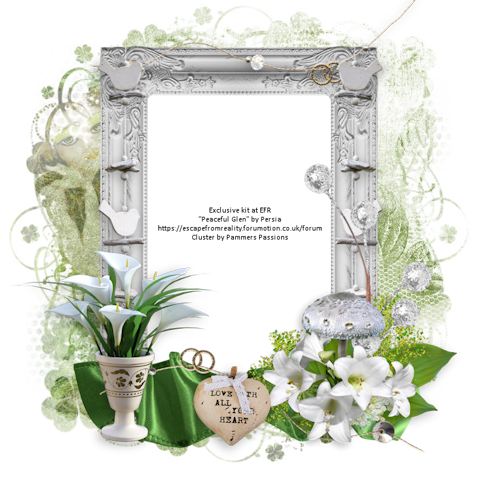
Wow, has been a while since I have made clusters.
Amber Breeze by Diamond Creations can be found - HERE


Made a cluster using Magik's newest kit - Beach Bound Alice
Click image and save
Kit can be found - HERE
This kit has 230 Elements, 30 papers, and 2 tubes


Kathy's PSP Designs has a new kit - Celestial Forest.....you can find this kit - HERE
Just click image and save. As usual, would love to see what you create....thanks

Made another cluster using Kathy's kit - Falling - HERE
Would love to see what you create.....thanks
Click on image and save

Gorgeous kit on sale Christmas Bride - HERE
Cluster using this kit
Click image/save....would like to see what you make....thanks


Found this awesome clip art at Creative Fabrica and since I totally LOVE strawberries, I made a cluster. You can download this cluster - HERE . Would love to see what you create! Thanks

Found an older kit by AWS "Beauty". Kit is no longer available. Here is a cluster I made with this kit. You can grab the cluster - HERE


Scrapkit - USA by Persia Designs - HERE
Cluster by Me - HERE
Mask - HERE (use first mask)
Tube - ChibiAi - HERE (on sale for 50 cents currently)
**She does not want @ used on her images"
***Disclaimer***
This tutorial is of my own creation. I am using PSP2019. Please leave a thanks when downloading. If I am using a template, I always start at the bottom and work my way up. If using a FTU or PTU tube - please don't use without proper copyright. Always drop shadow as you go. If you try one of my tuts, I would love to display it on my blog....thanks
~~~~~~~~~~~~~~~~~~~~~~~~~~~~~~~~~~
Open cluster and resize 85%
**Papers will need to be resized to your liking - I did mine at 70%**
Image/canvas size/800x800
Open p3 - apply mask/merge group
Send to bottom
Click on cluster
Grab freehand selection tool and draw around frame/p25/invert/delete/select none and drag below frame
Position tube
Scarf1 - resize 25%
Hearts5 - resize 25%
Ribbon4 - resize 25%
Star3 - resize 20%
Shoes2 - resize 25%
Pin3 - resize 25%
Hand1 - resize 20%
Flower13 - erase stem - resize 20%
Flower14 - resize 20%
Merge visible/crop/resize as needed/add proper copyright
Kimberly

Found an awesome new store called Magical Moments....cluster made using her kit - Feline Friends - HERE . This kit is on sale at this time. I did write her because her TOU didn't mention anything about FTU clusters.....she said that is fine.......so...here is my cluster! Would love to see what you create!!! Thanks
You can get the cluster - HERE